
A menu design project moves more smoothly when the designer has the real content and a clear understanding of how the menu will be used. You do not need to arrive with a finished layout. You do need enough information to make useful decisions.
Before your first design conversation, gather the following into one shared folder or document. It will help your designer estimate the work and reduce avoidable changes later.
Explain the setting
Describe your restaurant, your guests and where they will read the menu. A printed dinner menu used in low light has different needs from a takeaway flyer, a screen above a counter or a mobile menu opened through a QR code.
Include photographs of the space if they help explain its character. Mention practical constraints such as existing menu holders, the counter’s viewing distance or whether pages need to be wiped clean.
Prepare the actual content
Supply dish names, descriptions, prices, portion options and add-ons in editable text. Group them into the sections you expect to use, and flag anything still being decided. Screenshots of an old menu can be useful references, but they make a poor master copy.
Nominate one person to maintain the current version. If prices change in several emails and messages, it becomes harder to know which version has been approved.
Also provide the dietary, allergen and other information your business needs to display, with wording checked by the appropriate person on your team. The designer can make that information clear and consistent; the restaurant needs to confirm its accuracy.
Set the formats early
Tell your designer which versions are needed. A printed menu, a downloadable PDF and an on-screen menu may share content, but each needs its own readability check.
- Finished size, orientation and number of pages.
- Single sheets, folded pieces, booklets or a menu board.
- Languages and any separate lunch, drinks or takeaway versions.
- Digital destinations, including the website or ordering platform.
- The printer’s specifications, if a printer has already been chosen.
Ask your printer about materials, finishes and artwork requirements before the design is final. A late change of size can affect the whole layout.
Share your brand materials
Gather your logo files, brand colours, fonts and any existing guidelines. Add examples of current packaging, signage or promotional pieces that the menu should feel connected to.
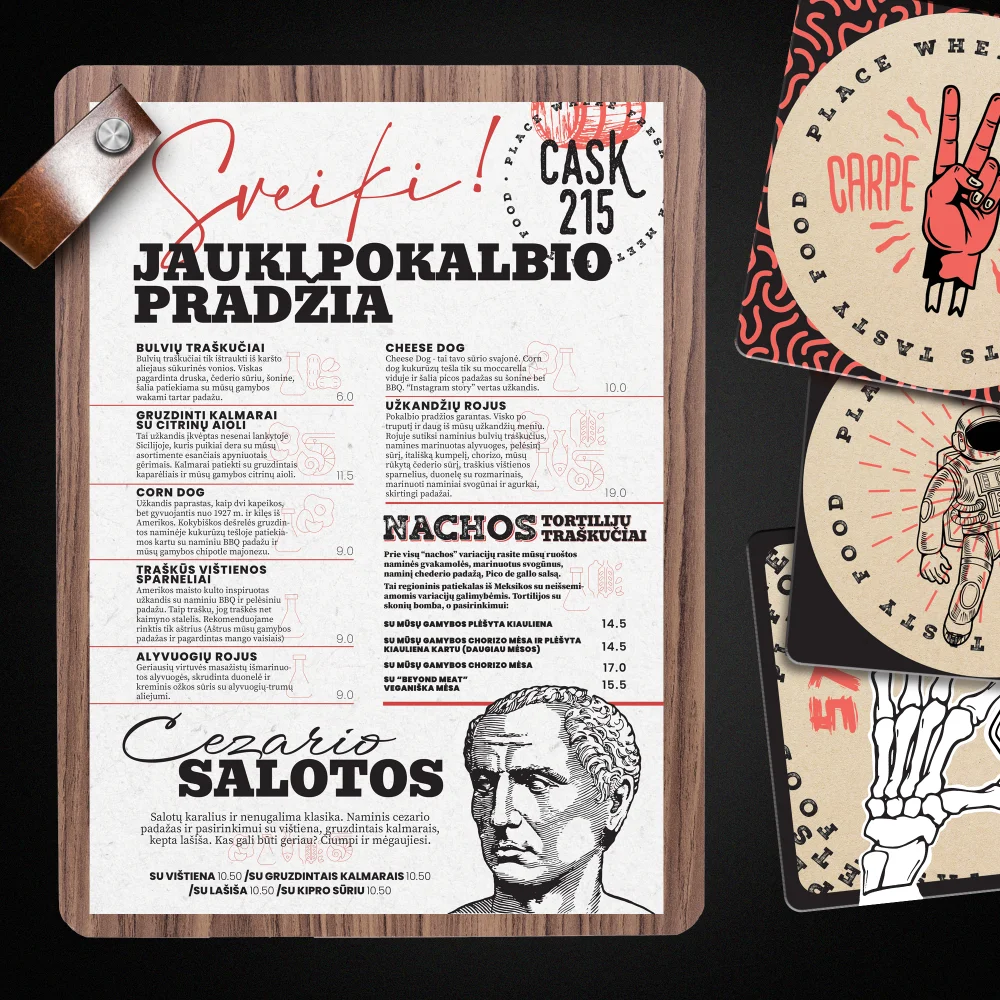
The CASK 215 example shown here pairs a bold menu with illustrated coasters. The shared visual character connects different objects, while the menu still needs a clear reading order for dishes, descriptions and prices.
If you use reference menus, explain what appeals to you: the readable spacing, a particular illustration style or the way categories are organised. That explanation is more useful than asking for a copy of another restaurant’s work.
Decide how images will work
If you want food photography, supply the largest original files you have and confirm that you can use them. Flag which dish appears in each image. Photos downloaded from a social feed may be too compressed for a large printed use.
You do not need a photo of every dish. Decide which images help a customer understand the offer and which mainly add clutter. Your designer can advise once the actual menu length and available space are clear.
Plan the approval
Set a target launch date and work backward to allow for review, corrections, printing and delivery. Choose one person to consolidate feedback. Before approving the final artwork, check every dish name, price, option, contact detail and QR destination.
Review a printed proof at its intended size where possible. For the digital version, open it on a phone. Text that looks comfortable on a large monitor can be difficult to read at the table.
Your brief, ready to send
- A short description of the restaurant and its customers.
- The current menu text, with undecided items marked.
- Required formats, languages and print specifications.
- Logo files, brand references and usable photography.
- Your deadline, approval contact and expected future updates.
Send Avem Noctis your menu design brief. If some details are still open, say which ones; that gives us a useful starting point for planning the project with you.